

Still on Windows 10?
Here’s Why You’re Putting Your Business at Risk
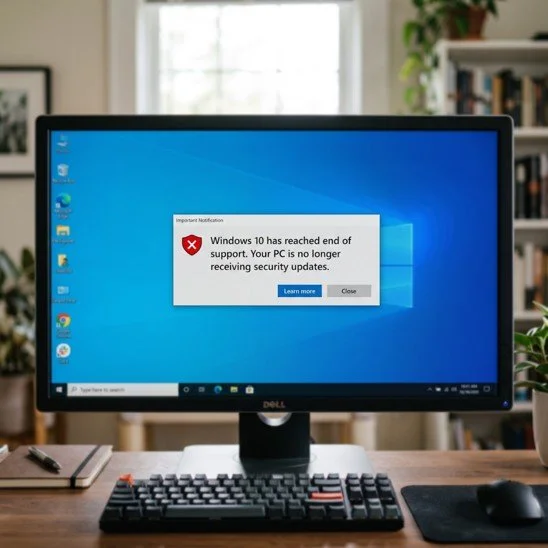
Windows 10 reached the end of Microsoft support on October 14, 2025, which means it no longer gets security updates.
The computers still work, but any new flaw found in Windows 10 will never be fixed, which makes them easier to attack and can cause problems with compliance and cyber insurance. You have three options: upgrade eligible PCs to Windows 11 for free, pay for Extended Security Updates as a short-term bridge, or replace machines too old to upgrade.
If your business is still running it, and plenty are, your computers aren't getting security updates anymore.
Everything still turns on and works like normal, which is exactly why it's easy to put off doing anything about it. The trouble is, the longer you stay on Windows 10, the more security holes pile up that nobody is ever going to fix.
Why is this a real risk for your business?
This is about more than an old, slow computer.
They're an easy target.
Attackers go looking for computers running software that doesn't get fixed anymore, because they know the flaws will just sit there. The UK's National Cyber Security Centre points out that holes in unsupported products stay exploitable, often by fairly low-skilled attackers.
You can fall out of compliance.
If you handle card payments, health records, or personal data, rules like PCI DSS and HIPAA expect you to run supported, patched software. Windows 10 no longer counts, which can put you out of compliance.
It can hit your cyber insurance.
Insurers are asking more and more whether your systems are supported and patched. Running an unsupported operating system can push your premium up, shrink your coverage, or give the insurer a reason to fight a claim.
Your other software will drop it.
Over time, browsers, accounting tools, and other programs stop supporting Windows 10, so the apps you rely on every day can stop updating, or stop working altogether.
You've really got three options, and most businesses end up mixing them across their computers.
Upgrade to Windows 11
(Free, if the hardware qualifies)
If you bought the PC in the last few years, upgrading to Windows 11 is free, and it's usually the right move. The catch is the hardware. Windows 11 needs a supported processor, TPM 2.0, and Secure Boot, and that rules out a lot of older machines. To check whether a particular PC qualifies, run Microsoft's free PC Health Check app.
Buy Extended Security Updates as a bridge
If a PC can't move to Windows 11 yet, Microsoft will sell you Extended Security Updates (ESU) to keep the security patches coming for a while longer. For businesses there is a specific fee for the first year and then it doubles every year after that, up to three years. For home users it is a much cheaper deal.
ESU gives you security patches and nothing else. It’s there to buy you time while you sort out the upgrade of a new machine.
Replace the PC
Some machines are just too old for Windows 11 and not worth paying ESU on year after year.
For those, buying a new PC that already runs Windows 11 usually works out cheaper, once you add up the ESU fees and the cost of keeping an old machine going.

How to plan the move
You don’t have to do all of this at once, but you do need a plan. A good example looks like this:
Make a list of every computer still on Windows 10.
Check which ones can move to Windows 11, using the PC Health Check app or your IT provider.
Upgrade the ones that qualify. It’s free, and keeps your files and programs in place.
For the rest, choose between ESU to buy time or replace the machine, depending on how old
it is and what it is used for.
We can run that inventory quickly and inform you of the best option for each machine.
Article used with permission from The Technology Press.